FIVE USEFUL ONLINE TOOLS
The internet has many useful tools for seeking design inspiration for your design and build. In this blog post, we will share five interior design tools and how to use them.
These tools are free, and some are easier to use if you create an account, usually to save projects or ideas. Others are entirely free. None of these websites or businesses have paid us to recommend their tools.
MICROSOFT BING IMAGE CREATOR
LINK HERE - www.bing.com/images/create/
Artificial Intelligence (AI) has revolutionized many industries, and image generators are no exception. AI-powered image generators are taking the world by storm, providing interior designers with new tools to create stunning visuals.
These AI image tools can generate design images to inspire you, and we recommend this is a great place to start when you are seeking interior design.
One popular and free AI image generator is Microsoft Bing Image Creator. With this tool, you enter keywords to guide the AI generator in creating a desired inspirational interior design image.
For instance, if you're seeking inspiration for condo interior design with a West Coast style and an orange theme, you can enter these keywords and wait for the generator to create an inspiring image that matches your criteria.

Inspiring AI Image Generation
CLICK LINK HERE - www.pinterest.com
If you're looking for more traditional inspiration for your interior design, then Pinterest is a great place to start. Pinterest is a social media platform that allows you to search for and save images and photos of interior design to find something inspiring for your project.
With Pinterest, you can search for different interior design styles and themes by entering keywords such as "Rustic Living Room" or "Modern Bedroom." You can select from various pins and images matching your search criteria and save them to your account, called "pinning."
One great feature of Pinterest is that you can create a catalogue of saved photos to share with your interior designer. This makes communicating your design ideas and preferences easier with your designer. You can also create different boards for different rooms or design themes, making it easy to keep your ideas organized and easily accessible.
ADOBE COLOR
CLICK LINK HERE - https://color.adobe.com
Colour is vital to any design and build project, and experimenting with different colours is essential for interior design. Choosing the right colour combination can make or break a design, which is where a colour wheel comes in handy.
One of the best colour wheels out there is Adobe Color. This colour wheel is handy to help you identify different colour combinations using basic colour science. With Adobe Color, you can explore various colour harmonies, including complementary, monochromatic, triadic, and more.
Once you've selected your harmony, drag the primary colour around the colour wheel until you find your desired colour.
For instance, if you're looking for a deep blue colour, you can select blue from the colour wheel and drag it around until you find the right shade. Adobe Color will generate four other colours that complement your primary colour and help guide your design. These colours can be used for accents, furniture, and more, giving you a cohesive look throughout your design.
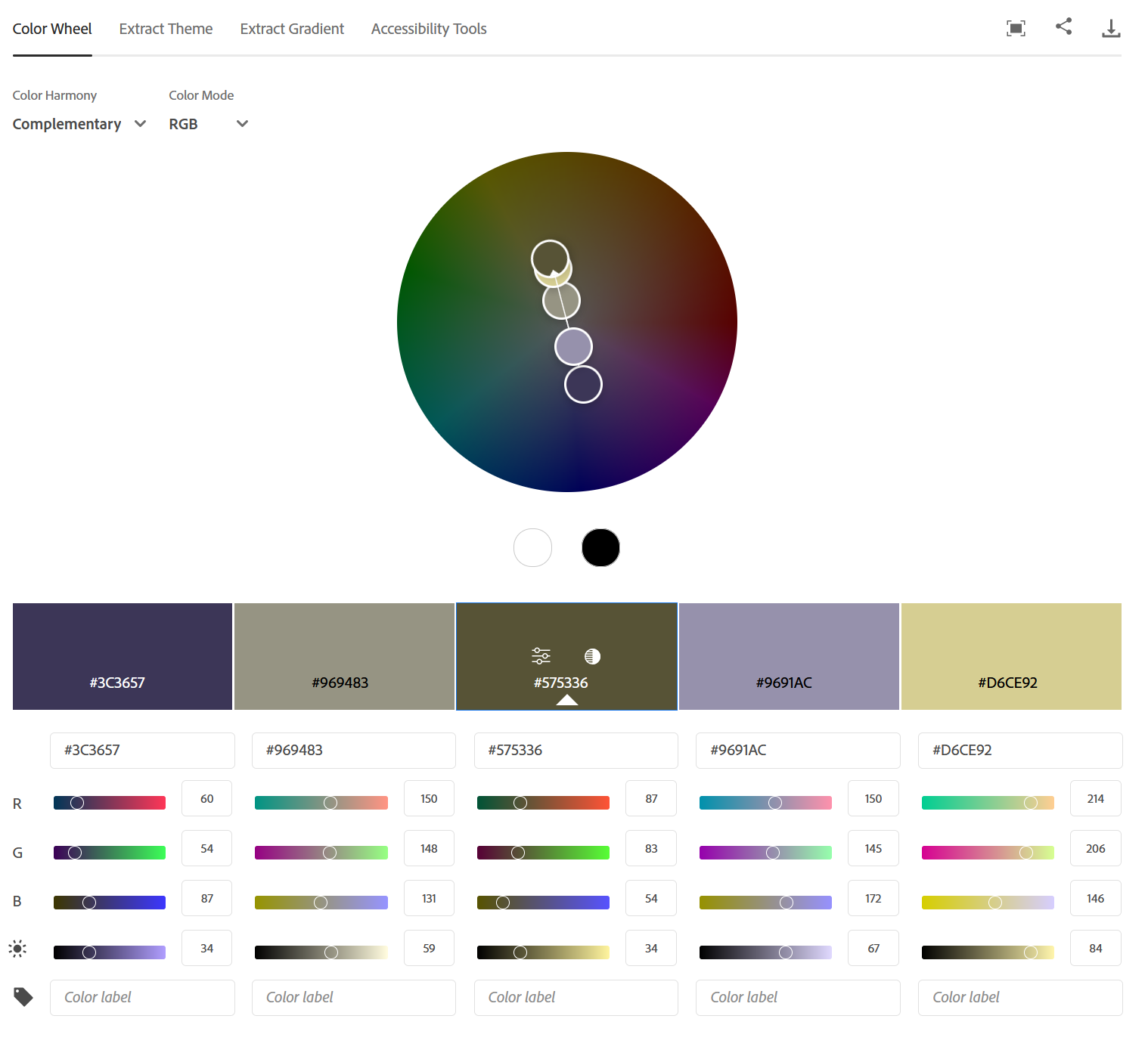
Adobe Colour
COLOR VISUALIZATION
Choosing the right color for your home can be challenging. Fortunately, tools are now available to help you visualize what a particular paint colour will look like in your home. One of these tools is Visualizecolor.com by PPG.
Visualize Color is an online tool that allows you to upload photos of your home and then apply different paint colours to your walls virtually.
Firstly, take photos of the spaces in your house you would like repainted. Take photos of each wall from different angles, capturing the natural light in the room.
Head over to the Visualizecolour.com website and upload your photos. Then select the paint colors you would like to 'paint' with. Apply the colours to the walls and surfaces you would like to 'paint' either manually or using the paint roller tool.
Once you have your photo, save it and create comparison photos of other colors you want to work with to see what you love the most.

Interior Designers can help you get the design you love and the budget you have.
PLANNER 5D
Planner 5D is a user-friendly 3D design tool that allows you to create a virtual model of your space. You can start by measuring your existing space and then creating a layout in Planner 5D or using the handy wizard function. Add all the design elements you would like to your space, including doors, windows, furniture, appliances, and decor, and customize them to your liking. You can also choose from various styles, including modern, contemporary, traditional, and more.
One of the best features of Planner 5D is the ability to create high-quality renders of your design. You can see your space's appearance from different angles and lighting conditions. This helps you get a realistic idea of your design before you commit to any changes.
Planner 5D also includes several AI tools to help you create designs from scratch. These are great at providing inspiration for your design. With AI-powered design tools, you can enter your preferences and let the tool generate a layout based on your input.
However, it is essential to remember that these tools cannot replace the advice and experience of an interior designer when designing your home.
CONCLUSION
So there we go. Five free online tools that can help you inspire your design. We hope these can help you create a home. When you have been inspired by your design, contact us, and let's talk about how to make it come to life in your home. Remember, designing your home should be a fun and exciting experience, and with the help of these online tools, you can make it a reality.
Contact us today
to book a free consultation with one of our interior designers. Bring your inspiration and we can make it happen.